Why Standby Power Adds Up
Every device that stays plugged in - whether it's a television waiting for a remote signal, a microwave displaying the time, or a phone charger sitting empty in the wall - draws a small but continuous trickle of electricity. The U.S. Department of Energy estimates that standby power, sometimes called vampire draw or idle load, can represent roughly 5-10% of a home's total electricity use. For a household spending $150 a month on electricity, that's potentially $90-$180 a year lost to devices doing nothing useful.
The problem isn't any single device - it's the cumulative effect of dozens of them running around the clock. This makes standby power a natural focus for anyone looking to trim recurring utility bills without lifestyle disruption. It's also worth noting that some popular fixes don't deliver - our look at tactics that rarely reduce utility bills shows where effort is often wasted, so you can focus on what actually works.
Track One Billing Cycle Before and After
Note your electricity consumption in kWh from your bill before making changes, then compare it one month later. Most utilities display kWh usage clearly on the statement. This gives you a real, measurable baseline rather than an estimate - and makes it easy to see whether your changes are actually producing results.
The Biggest Standby Offenders in a Typical Home
Not all idle devices are equal. Knowing which ones draw the most power helps you prioritize. Based on widely published energy-use data, these categories tend to top the list:
- Cable and satellite set-top boxes: Many older boxes draw 15-30 watts continuously - even overnight - because they update program guides in the background. A single box running at 20W costs roughly $21 per year at the U.S. average electricity rate.
- Game consoles: Depending on the model and settings, a console left in standby or connected-idle mode can draw 10-15 watts or more. Check your console's energy settings; most newer models offer a low-power standby option.
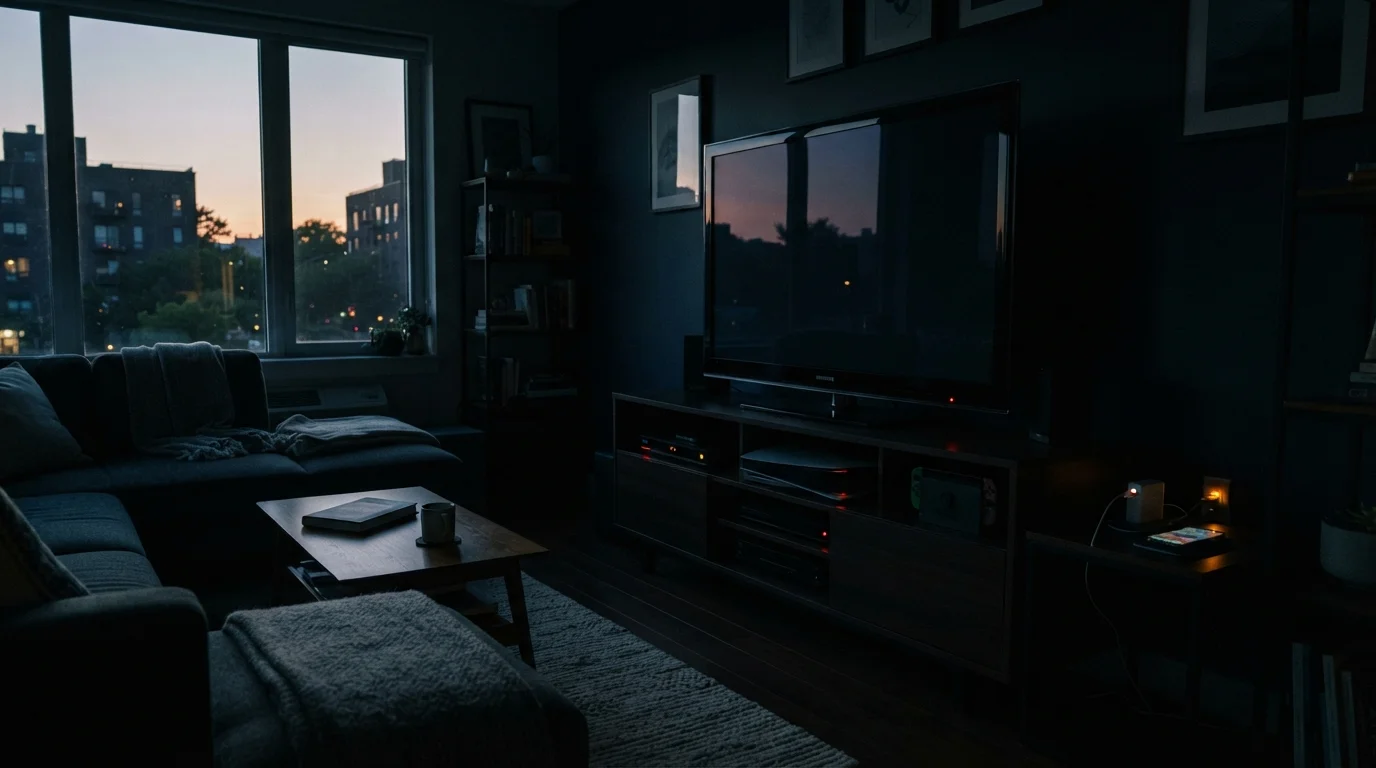
- Home theater components: AV receivers, soundbars, and older televisions often idle at 5-15 watts each. A full entertainment stack can collectively draw as much as a small lamp, nonstop.
- Desktop computers and monitors: A monitor left on but idle may draw 20-40 watts. Enabling sleep mode and setting short idle timers makes a meaningful difference.
- Phone and device chargers: Individual chargers are low-draw (usually under 1W when empty), but they are worth grouping onto a switched strip because there are typically many of them.
The pattern here mirrors a broader principle: hidden, recurring costs compound quietly. Just as idling a car engine has a real fuel cost that most drivers underestimate, letting home electronics idle has a measurable cost on your electricity bill.
How to Audit and Reduce Your Standby Load
Before you buy anything or unplug everything at random, a brief audit tells you where to focus. Then a handful of low-effort changes can eliminate most of the waste.
What you will need
Measure what your devices actually draw
Plug a watt meter into an outlet, then plug a device into it. Note the wattage displayed when the device is in standby - not actively in use. Work through your entertainment center, home office, kitchen, and any charging stations. Record each reading; you'll use this to calculate annual cost using the formula: Watts ÷ 1,000 × hours per day × 365 × your $/kWh rate = annual cost.
Rank devices by standby draw and prioritize
Sort your list from highest wattage to lowest. Focus your efforts on any device drawing more than 5 watts in standby - these produce the most meaningful savings. Items drawing under 1 watt are low priority unless you have many of them clustered together.
Put high-draw device groups on smart or switched power strips
A switched power strip lets you cut power to an entire entertainment center or home office cluster with one button or switch. A smart power strip with scheduling or occupancy-sensing features can do this automatically. Group the TV, AV receiver, game console, and streaming device on one strip - when you're done watching, one switch cuts them all to zero draw.
Enable built-in energy-saving settings on each device
Many televisions, game consoles, and computers have low-power standby or auto-sleep modes buried in their settings menus. On a game console, look for 'power saving' or 'rest mode power' options. On a computer, set the display to sleep after 5-10 minutes of inactivity and the system to hibernate after 20-30 minutes. These settings require no hardware purchase and can cut standby draw significantly on their own.
Use outlet timers for predictable usage patterns
For devices used only at specific times - a home office setup used 9am-6pm, or a gaming console used evenings only - a mechanical or digital outlet timer cuts power automatically outside those windows. Timers cost a few dollars and require no ongoing effort after the initial setup.
Unplug rarely used devices entirely
Devices used only occasionally - a spare television, a guest room cable box, a seasonal appliance - are the easiest standby wins. Unplug them when not in use. If reconnecting is inconvenient, place them on a switched strip so powering up is a single flip rather than reaching behind furniture.
Once you've worked through the steps above, your monthly electricity consumption should reflect the reduction within one billing cycle. Standby savings are modest per device but compound across a full home - and unlike one-time fixes, they recur every month. For a broader look at the household budget strategies that complement this kind of recurring-cost reduction, explore our home budgeting hub.
This article provides general energy-saving information for educational purposes. Actual savings vary based on local electricity rates, device models, and usage patterns. Consult a licensed electrician before making any changes to electrical wiring or panels.