Why Paper Piles Up (And Why Good Intentions Fail)
Paper clutter is almost never a willpower problem. It accumulates because most homes lack a clear answer to a simple question: where does this piece of paper go right now? When the answer is "I'll deal with it later," the kitchen counter becomes a filing cabinet.
Common culprits include mail sorted while standing over a recycling bin, appliance manuals stuffed in a junk drawer, and bills that land in a pile because paying them requires another step first. Each piece of paper represents a deferred decision - and deferred decisions stack up fast.
The fix isn't a fancier organizer. It's a system with three clear destinations for every document that enters the house, combined with a brief weekly habit that keeps the system from overflowing. For households where multiple people handle incoming paper, see how to design systems for homes with multiple adults for tips on shared ownership of the routine.
Opt Out of Paper Before It Arrives
The easiest paper to manage is paper that never reaches your home. Sign up for electronic statements on financial and utility accounts, and register with mail preference services that reduce unsolicited marketing mail. Reducing incoming volume makes any filing system dramatically easier to maintain.
What You'll Need Before You Start
This system is intentionally low-cost. You likely already own most of what's required.
What you will need
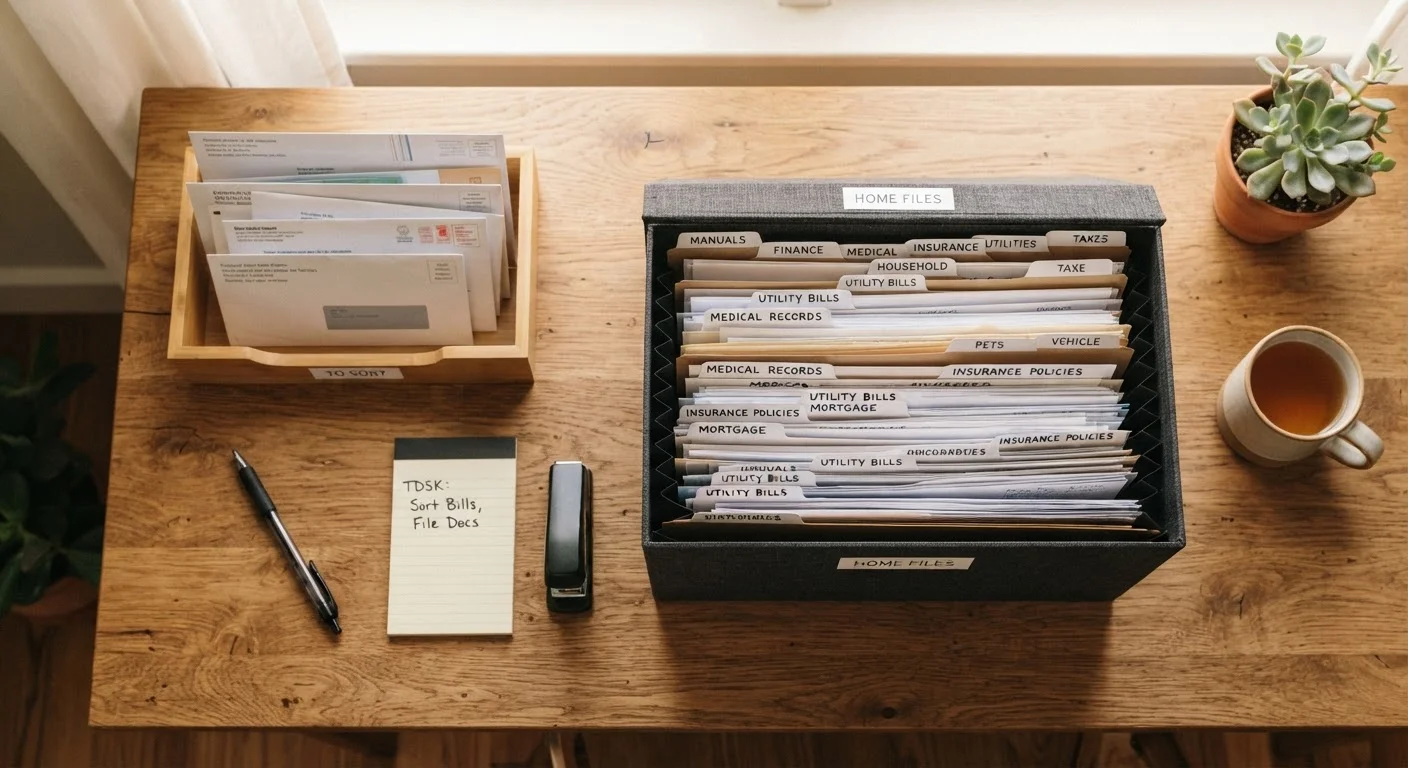
Inbox tray (single-slot)
Provides one consistent landing spot for all incoming mail and documents so nothing defaults to the counter.
Accordion file or hanging file box
Holds labeled archive folders for documents you need to keep long-term, such as tax records and insurance policies.
Cross-cut shredder
Destroys documents containing personal information - account numbers, Social Security numbers, medical details - before disposal.
Sticky labels or label maker
Creates clear, consistent folder labels so every category has an obvious home.
Smartphone scanner app
Creates digital backups of critical documents without purchasing a dedicated scanner.
Building and Maintaining Your System
Follow these steps in order. Resist the urge to set up the new system before clearing the backlog - filing fresh documents into a system that's already overwhelmed defeats the purpose.
Gather every piece of paper in the house into one place
Collect paper from every surface, drawer, bag, and shelf - mail, manuals, warranties, receipts, school forms, everything. Pile it all on a table. This feels overwhelming for about five minutes, and then it becomes manageable because you can actually see the full scope of what you're dealing with.
Sort into three categories: Action, Archive, and Shred/Recycle
Pick up each document and place it into one of three piles:
- Action: Requires a response, payment, or decision within the next 30 days (unpaid bills, forms to sign, appointment reminders).
- Archive: No action needed but worth keeping (tax returns, insurance policies, medical records, property documents, appliance manuals).
- Shred or Recycle: Expired, duplicate, or irrelevant. Shred anything with personal identifying information; recycle the rest.
If you are unsure whether to keep a document, ask: Would replacing this document be difficult or costly? If yes, archive it.
Shred sensitive documents immediately
Process the shred pile before doing anything else. Documents containing account numbers, Social Security numbers, medical information, or financial details should be cross-cut shredded rather than torn or recycled whole. If your pile is very large, community shredding events - often offered by local governments or libraries - handle bulk shredding securely.
Set up your archive with labeled folders
Create folders for broad categories rather than hyper-specific ones. Suggested categories for most households:
- Tax Records (keep returns and supporting documents for at least seven years as a general guideline - verify current IRS guidance for your situation)
- Insurance Policies
- Home (mortgage, deed, permits, warranty documents)
- Medical Records
- Vehicle (titles, maintenance records)
- Appliance Manuals & Warranties
- Financial Statements
File the Archive pile into these folders. If a category doesn't have enough documents to justify its own folder yet, combine it with a related one and split later.
Place the Action tray in a visible, high-traffic spot
Choose one location - near where mail enters the house, or on a desk you use regularly - and place your inbox tray there. Every piece of incoming paper goes directly into this tray. Nothing else. The physical constraint of a single tray makes it obvious when the tray is getting full and needs attention.
Work through the Action pile you sorted earlier: pay bills, complete forms, make calls. Once each item is resolved, it either moves to an archive folder or gets shredded.
Establish the weekly paper sweep habit
Once a week, spend 10 minutes on the following: process anything in the action tray, file resolved documents, and purge the archive of anything clearly outdated (expired warranties, old receipts you no longer need). This is maintenance, not a major event - keeping it short is what makes it sustainable.
Don't Digitize as a Reason to Delay
Scanning documents before sorting them sounds thorough but often becomes a way to avoid making decisions. Sort and purge physically first, then scan only the documents you decide are worth keeping. Scanning everything 'just in case' recreates digital clutter on top of physical clutter.
Once your system is running, pair it with a broader look at your recurring home expenses. Knowing where your bills land physically makes it easier to review and manage them - see managing all your recurring home expenses in one system for a practical approach. And if paper is just one piece of a larger clutter problem, the room-by-room decluttering roadmap walks you through the rest of the house.
Keeping the System Alive Long-Term
A filing system only works if paper actually moves through it. The most common failure point isn't setup - it's the weeks after setup, when old habits reassert themselves.
Schedule a 10-minute "paper sweep" once a week, ideally on the same day you pay bills or review your calendar. Move anything in the action tray, file what's resolved, and shred what's expired. This single habit is what separates a system that lasts from one that becomes another pile with a label on it.
For broader strategies on keeping clutter from returning after you've done the initial work, maintenance habits that keep clutter away covers daily and weekly routines that reinforce any organization system you put in place. If you find yourself resisting the system entirely, it may be worth checking organization myths that quietly keep homes cluttered - some widely repeated advice actually makes the problem worse.